Opens a live INU example. To change tokens, send /a <CA>.
Tap the Scans link on a Main Scan card to open
Alpha Scans for that token. You can also send /a <CA> in a supported Scanner
chat. The report shows recorded Soul Trending placements and scan activity
for the selected token.
How to read it
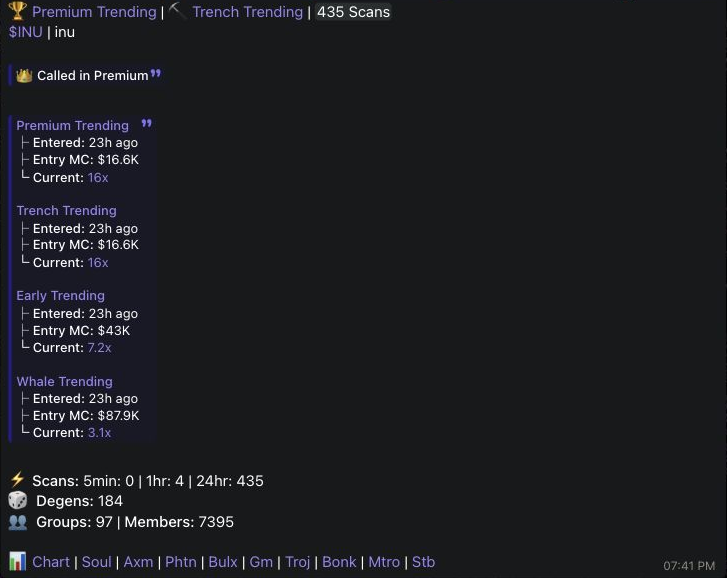
Entered is the supplied time since that Soul Trending placement. Entry MC is the reported market cap at that placement. Current is the supplied multiple for that placement. Placements, scan windows, degens, groups and members can have different observation times, populations and calculation bases. They do not establish a single synchronized current market cap.
Missing placement values remain unavailable while other supplied placements can remain visible. No scans recorded is distinct from a source failure.
Controls and recovery
Help sends a separate contextual message with a 30-second cooldown per feature, chat and user. Refresh replaces the card only after success and retains the previous card after a failure. It does not create a link preview. Use Full help, then browser Back to return to the same Telegram card. Current command controls are available only to users included in the staged feature rollout.