Skip to documentation content
Soul Terminal

Documentation

⌘ / Ctrl K
Open Terminal

Start here

  • Introduction
  • Products and features

Soul Terminal

  • Feeds, scans and charts

Soul Scanner

  • Scanner overview
  • Scanner guide
    • Start a scan
    • Alerts and warnings
    • Field glossary
    • Fake Holder
    • Fake Volume
    • Bundles
    • Snipers
    • First 20
    • Group Trading
    • Auto Track
    • Trench Track

Soul Trending

  • Soul Trending
    • Early Trending
    • Whale Trending
    • Trench Trending

Soul Sniper

  • Trade with Sniper
    • Limit and auto orders
    • Tracking-linked orders

Share and get help

  • Community
  • Contact
  • Team

Understand limits

  • Terms
  • Disclaimers
    • Trending disclaimer
  • Privacy policies

Interactive guides

  • Interactive Soul guides
    • Interactive Scanner scan guide
    • Soul Scanner command guide
    • Soul Sniper command guide
    • Soul Trending guides
      • Trending basics: What Trending is
        • Trending basics: Recognize the posts
        • Trending basics: From alert to research
        • Trending basics: Your next step
      • Early Trending: Start with Early Trending
        • Early Trending: Read an entry alert
        • Early Trending: Read updates and rankings
        • Early Trending: Your next step
      • Whale Trending: Read the wallet signals
        • Whale Trending: Wallet and Scan
        • Whale Trending: Read updates
        • Whale Trending: Your next step
      • Trench Trending: Start with Trench Trending
        • Trench Trending: Read the entry fields
        • Trench Trending: Read updates
        • Trench Trending: Your next step

Start here

  • Introduction
  • Products and features

Soul Terminal

  • Feeds, scans and charts

Soul Scanner

  • Scanner overview
  • Scanner guide
    • Start a scan
    • Alerts and warnings
    • Field glossary
    • Fake Holder
    • Fake Volume
    • Bundles
    • Snipers
    • First 20
    • Group Trading
    • Auto Track
    • Trench Track

Soul Trending

  • Soul Trending
    • Early Trending
    • Whale Trending
    • Trench Trending

Soul Sniper

  • Trade with Sniper
    • Limit and auto orders
    • Tracking-linked orders

Share and get help

  • Community
  • Contact
  • Team

Understand limits

  • Terms
  • Disclaimers
    • Trending disclaimer
  • Privacy policies

Interactive guides

  • Interactive Soul guides
    • Interactive Scanner scan guide
    • Soul Scanner command guide
    • Soul Sniper command guide
    • Soul Trending guides
      • Trending basics: What Trending is
        • Trending basics: Recognize the posts
        • Trending basics: From alert to research
        • Trending basics: Your next step
      • Early Trending: Start with Early Trending
        • Early Trending: Read an entry alert
        • Early Trending: Read updates and rankings
        • Early Trending: Your next step
      • Whale Trending: Read the wallet signals
        • Whale Trending: Wallet and Scan
        • Whale Trending: Read updates
        • Whale Trending: Your next step
      • Trench Trending: Start with Trench Trending
        • Trench Trending: Read the entry fields
        • Trench Trending: Read updates
        • Trench Trending: Your next step

Overview

Community

Follow official Soul updates, share useful research in your own groups and find product support.

Keep up with Soul, then take useful research back to the people you trade ideas with. Follow the official updates channel below. For a question about a product action, use Contact.

Follow official updates

Open Soul Scanner Official for the official Telegram updates channel. The invite opens a channel, not a group chat. Use the link here instead of trusting a familiar display name in a direct message.
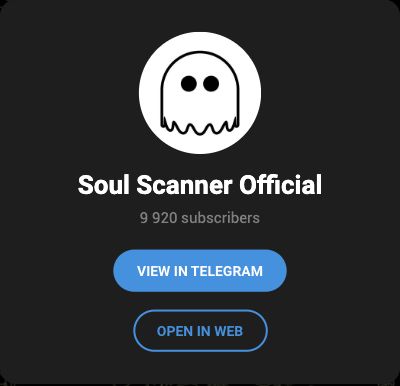
Soul Scanner Official public Telegram entry with View in Telegram and Open in Web buttons.
Use the official channel for updates. For product help, use the Contact page.

Share a research question

Want to compare notes? Share a scan in a group you already use, where its rules allow token discussion. The updates-channel invite above is not a place to submit a research question.

  1. Include the chain and exact contract address, plus a link to the relevant scan or public post.
  2. Name the field or change you are asking about and when you saw it.
  3. Say what you observed, what you think it means and what you are unsure about. Keep the observation separate from your interpretation.
  4. Compare responses with the original source, then rescan when context has changed.

A forwarded scan gives people something to discuss. It is not an endorsement, a completed audit or permission to trade. Remove private account data from images, and never post keys or recovery phrases.

Continue the task

Use group research for the Scanner group flow, tracking to revisit a condition, or support when a product action fails. Do not send funds in response to unsolicited support messages.

© 2023-Present Soul Systems LLC. All rights reserved.

PreviousTracking-linked OrdersNextContact

On this page

  1. Follow official updates
  2. Share a research question
  3. Continue the task