# Setting up buy and burn tracking

Using [Soul Buy Bot ](https://t.me/soul_buy_bot)involves multiple different flows:

* Setting up buy and burn tracking&#x20;
* Adjusting settings
* Trending Purchase
* Marketing Purchase
* Group trading
* Manual burning

## Buy and Burn Tracking

### First time Users:

1. DM [Soul Buy Bot ](https://t.me/soul_buy_bot)
2. /start and accept the terms
3. Click the add as admin

<figure><img src="https://470493098-files.gitbook.io/~/files/v0/b/gitbook-x-prod.appspot.com/o/spaces%2FaJnhbIiTiNkTh8On4lER%2Fuploads%2FE3n9KYXJWnD69DNuHknu%2Fimage.png?alt=media&#x26;token=347a3c6c-a4e8-4c00-b333-f0d8aab5798c" alt=""><figcaption></figcaption></figure>

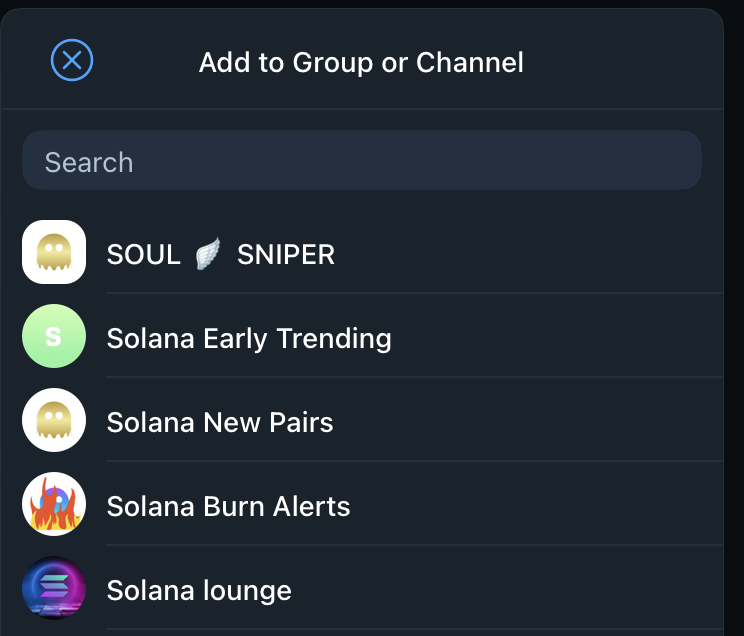
**Select your group**

<figure><img src="https://470493098-files.gitbook.io/~/files/v0/b/gitbook-x-prod.appspot.com/o/spaces%2FaJnhbIiTiNkTh8On4lER%2Fuploads%2FiqcW1HhOFzYQtkfixnhI%2Fimage.png?alt=media&#x26;token=600717eb-8de6-40a3-bd76-48484c122b3b" alt=""><figcaption></figcaption></figure>

**Add the bot as admin**&#x20;

<figure><img src="https://470493098-files.gitbook.io/~/files/v0/b/gitbook-x-prod.appspot.com/o/spaces%2FaJnhbIiTiNkTh8On4lER%2Fuploads%2FY4726CtpBxHjroopzjCd%2Fimage.png?alt=media&#x26;token=a799a72c-5539-4956-8a57-501b5a666261" alt=""><figcaption></figcaption></figure>

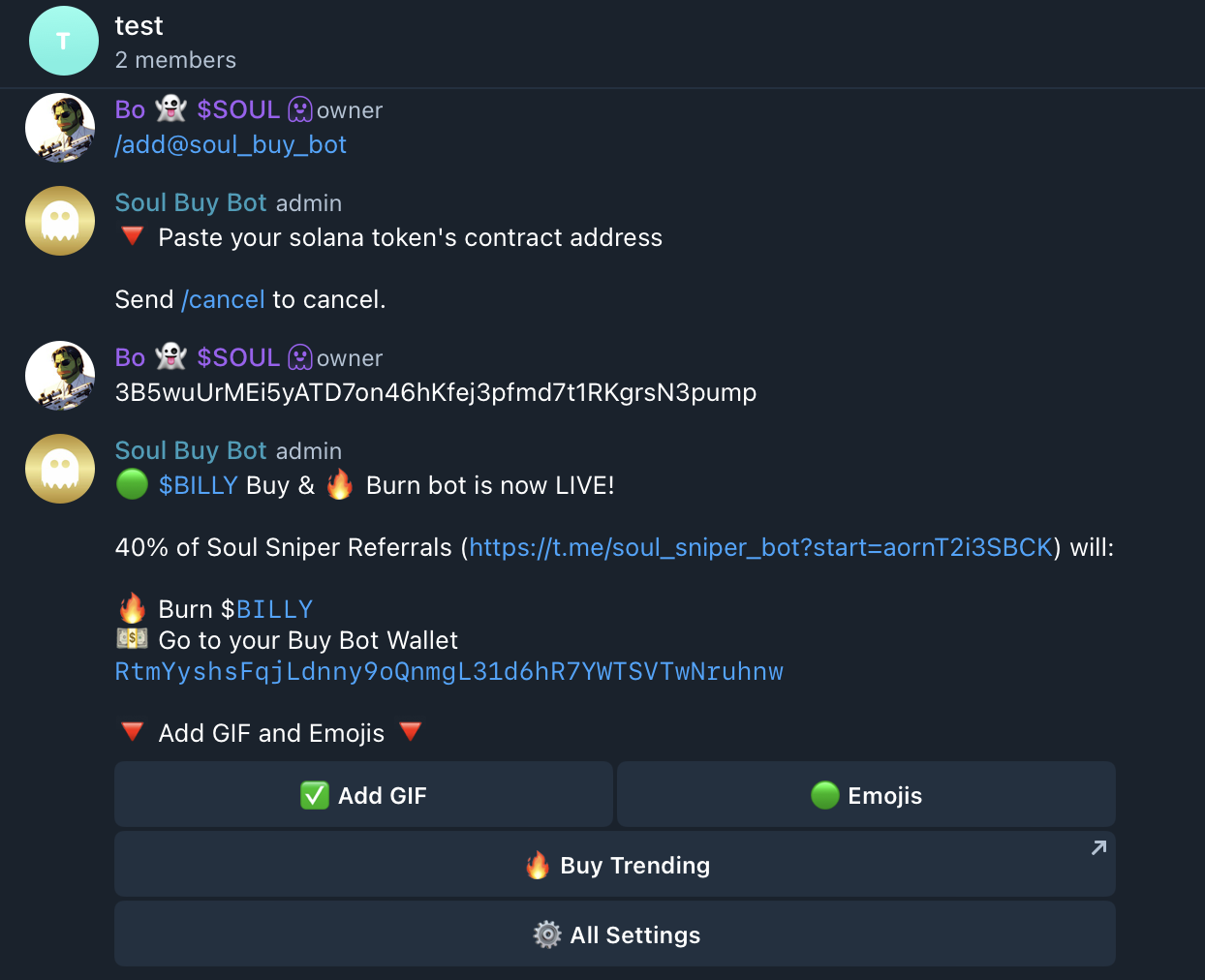
**Enter /add in the group**&#x20;

**Enter your CA**&#x20;

<figure><img src="https://470493098-files.gitbook.io/~/files/v0/b/gitbook-x-prod.appspot.com/o/spaces%2FaJnhbIiTiNkTh8On4lER%2Fuploads%2FoQx428pyJwYUlU0nuwhz%2Fimage.png?alt=media&#x26;token=e87d687b-4b0b-4ea6-ba8f-6a25a087d72a" alt=""><figcaption></figcaption></figure>

**You're all set !**&#x20;

Soul Buy Bot will start to automatically post any buys and any burns directly to your telegram !&#x20;

### Returning Users:

For users returning to [Soul Buy Bot](https://t.me/soul_buy_bot) they can add the bot to a new group through various ways

#### Through DM

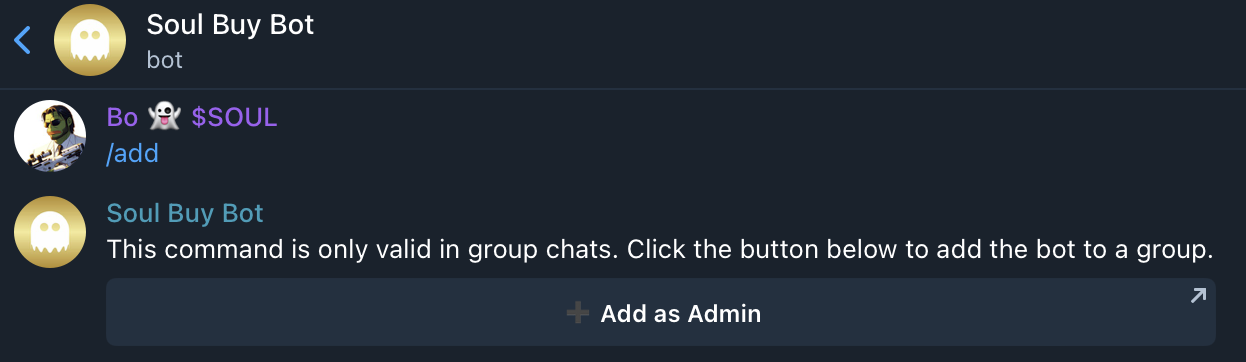
1. DM [Soul Buy Bot](https://t.me/soul_buy_bot) /add&#x20;
2. Click the add button&#x20;
3. Follow the normal flow

<figure><img src="https://470493098-files.gitbook.io/~/files/v0/b/gitbook-x-prod.appspot.com/o/spaces%2FaJnhbIiTiNkTh8On4lER%2Fuploads%2FMFmdY886uQjP62JuofHp%2Fimage.png?alt=media&#x26;token=f25310df-4742-4a42-9e7f-65f54c413ad1" alt=""><figcaption></figcaption></figure>

#### Directly&#x20;

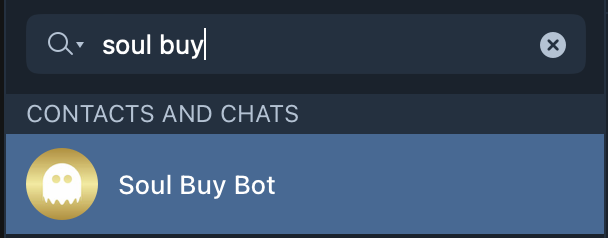
1. Search Soul Buy Bot

<figure><img src="https://470493098-files.gitbook.io/~/files/v0/b/gitbook-x-prod.appspot.com/o/spaces%2FaJnhbIiTiNkTh8On4lER%2Fuploads%2FsHR5NzGkFg4f801eQgk9%2Fimage.png?alt=media&#x26;token=cc924ec7-eae6-4f67-aad9-42127ca35fa2" alt=""><figcaption></figcaption></figure>

1. Click the profile of the bot

<figure><img src="https://470493098-files.gitbook.io/~/files/v0/b/gitbook-x-prod.appspot.com/o/spaces%2FaJnhbIiTiNkTh8On4lER%2Fuploads%2FJ514sLxLJ1z4vsOuB69u%2Fimage.png?alt=media&#x26;token=d2390bfa-f747-44b4-af69-caa53ca35c27" alt=""><figcaption></figcaption></figure>

**Click Add to Group or Channel**

<figure><img src="https://470493098-files.gitbook.io/~/files/v0/b/gitbook-x-prod.appspot.com/o/spaces%2FaJnhbIiTiNkTh8On4lER%2Fuploads%2F7bjBIWGdNPVLIZ6jBXy3%2Fimage.png?alt=media&#x26;token=24b40195-e008-4c8d-a429-ea9b13ca8984" alt=""><figcaption></figcaption></figure>

**Follow the normal flow**&#x20;

Ⓒ Soul Systems LLC 2023 - 2024